Existing customers with vailid credits can book with the Tennis In Manhattan app (instructions bellow), or log-in on a browser
Step 1: Download the app
Step 2: Log in

Step 3: Tap "Book" (bottom bar)
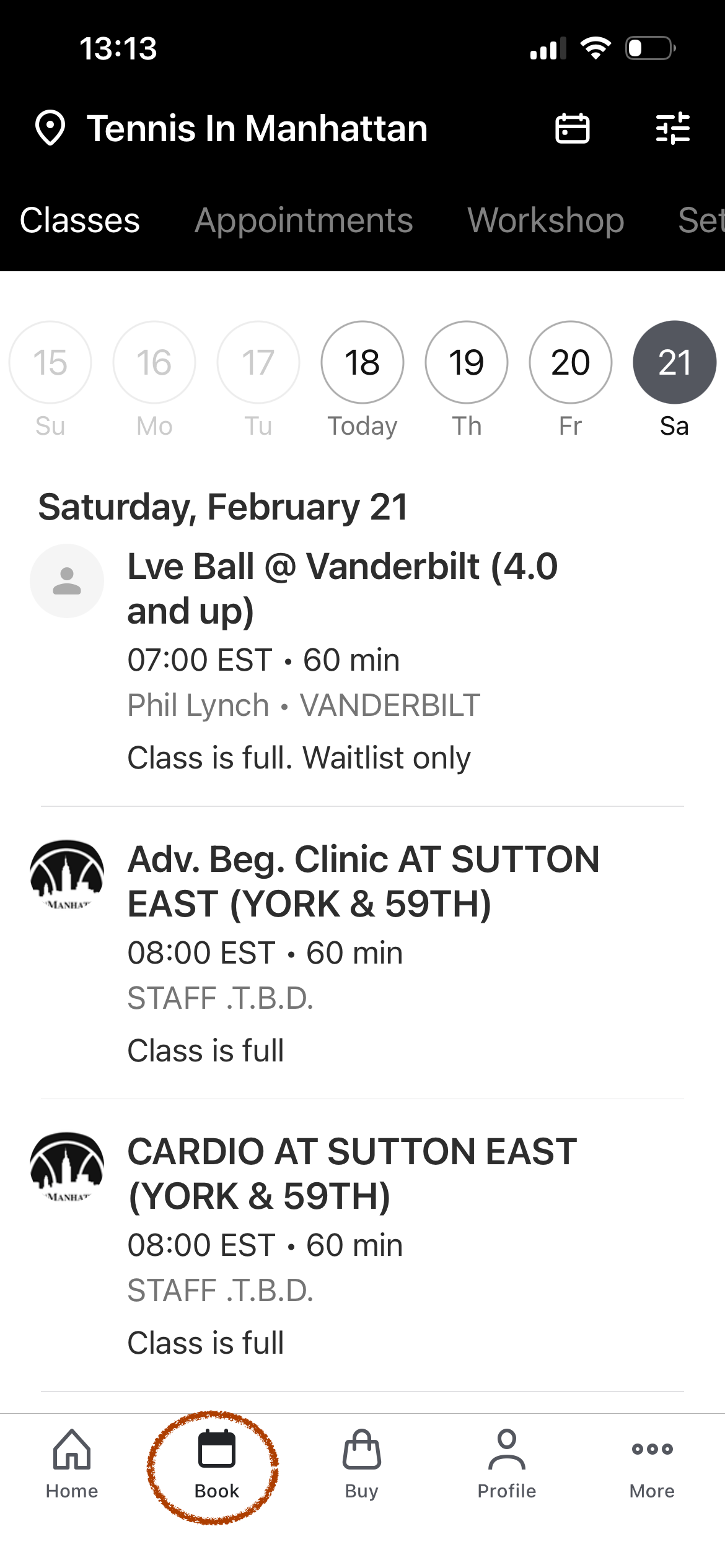
Step 4: Navigate services (top bar)
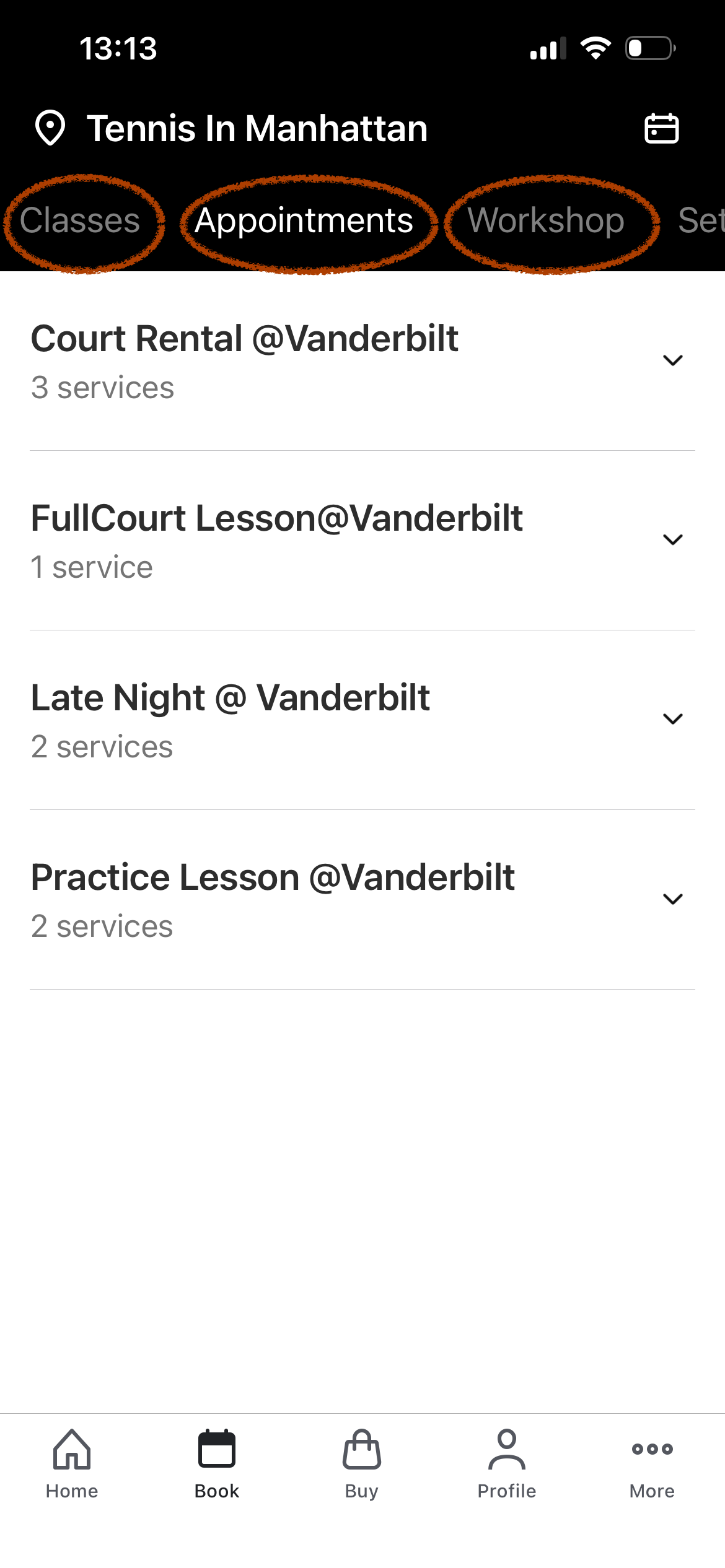
Classes - all drop in adult group programs
Appointments - Court Rental and Lessons both for Full and Practice Courts.
Workshop - all Practice Court group adult programs
Step 5: Make a booking
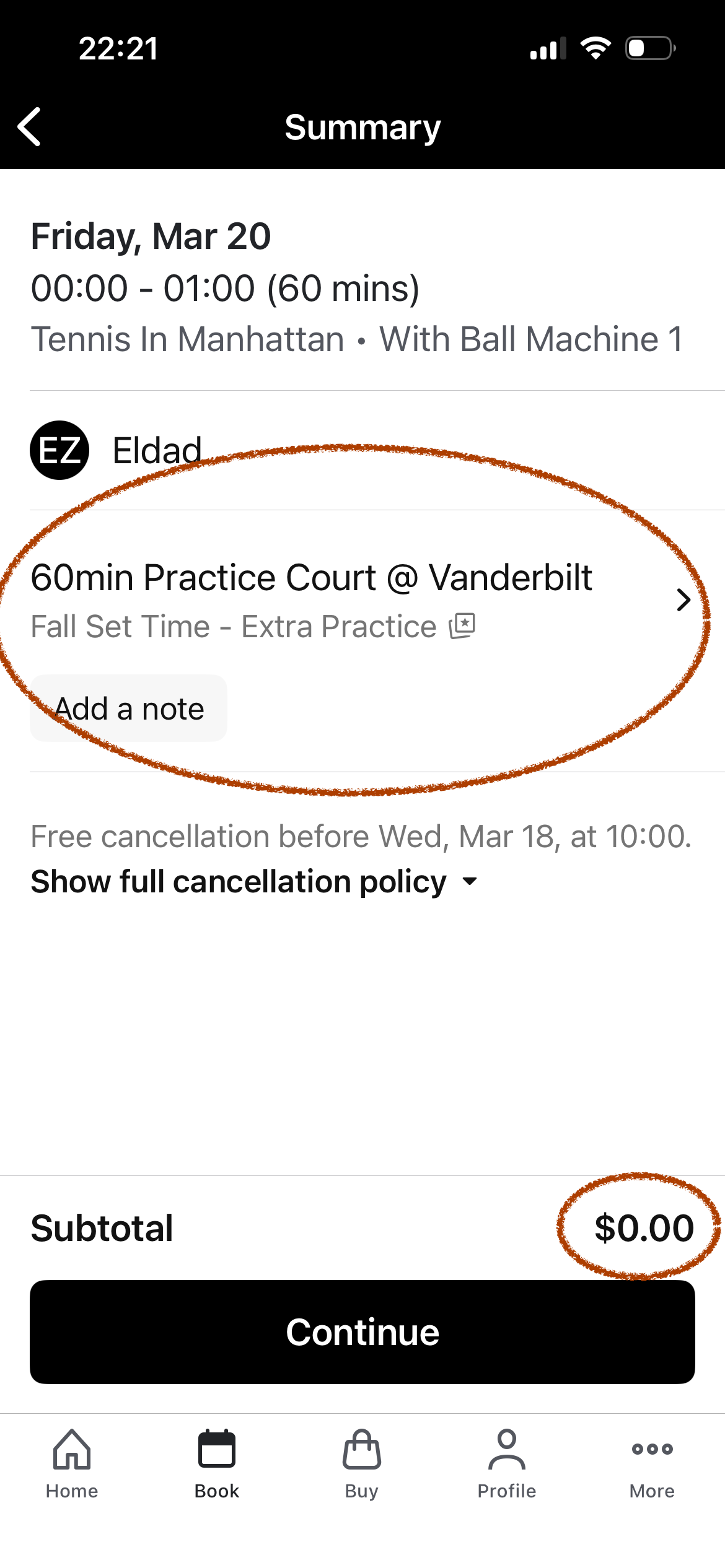
Once you pick a time, the app will pick the credit (you can swap if you have multiple packages)
Tap "Continue"
Step 6: Check Out
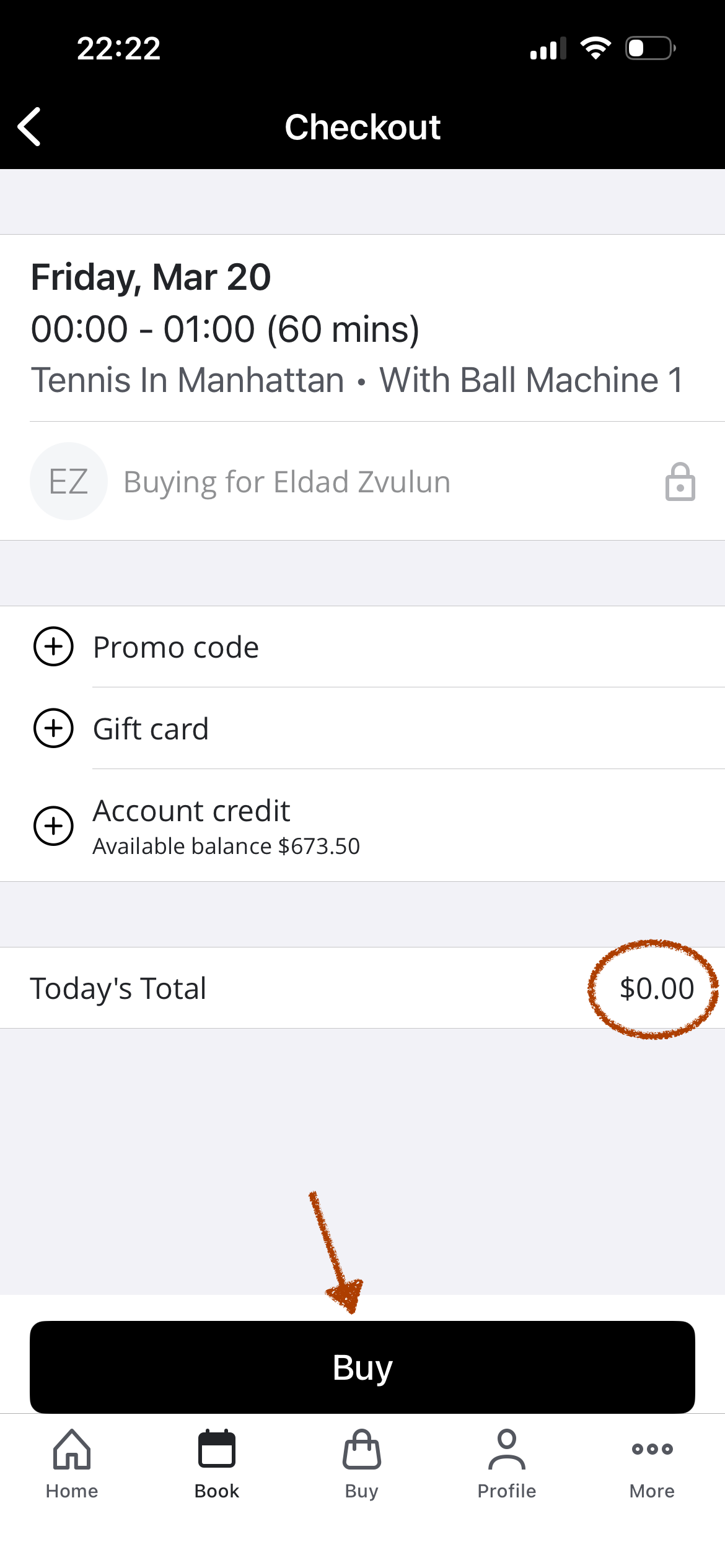
Verify the Date/Time
(if you have account balance instead of pre-paid credits, you can use it to pay the balance)
Tap "Buy"
Step 7: Confirmed!
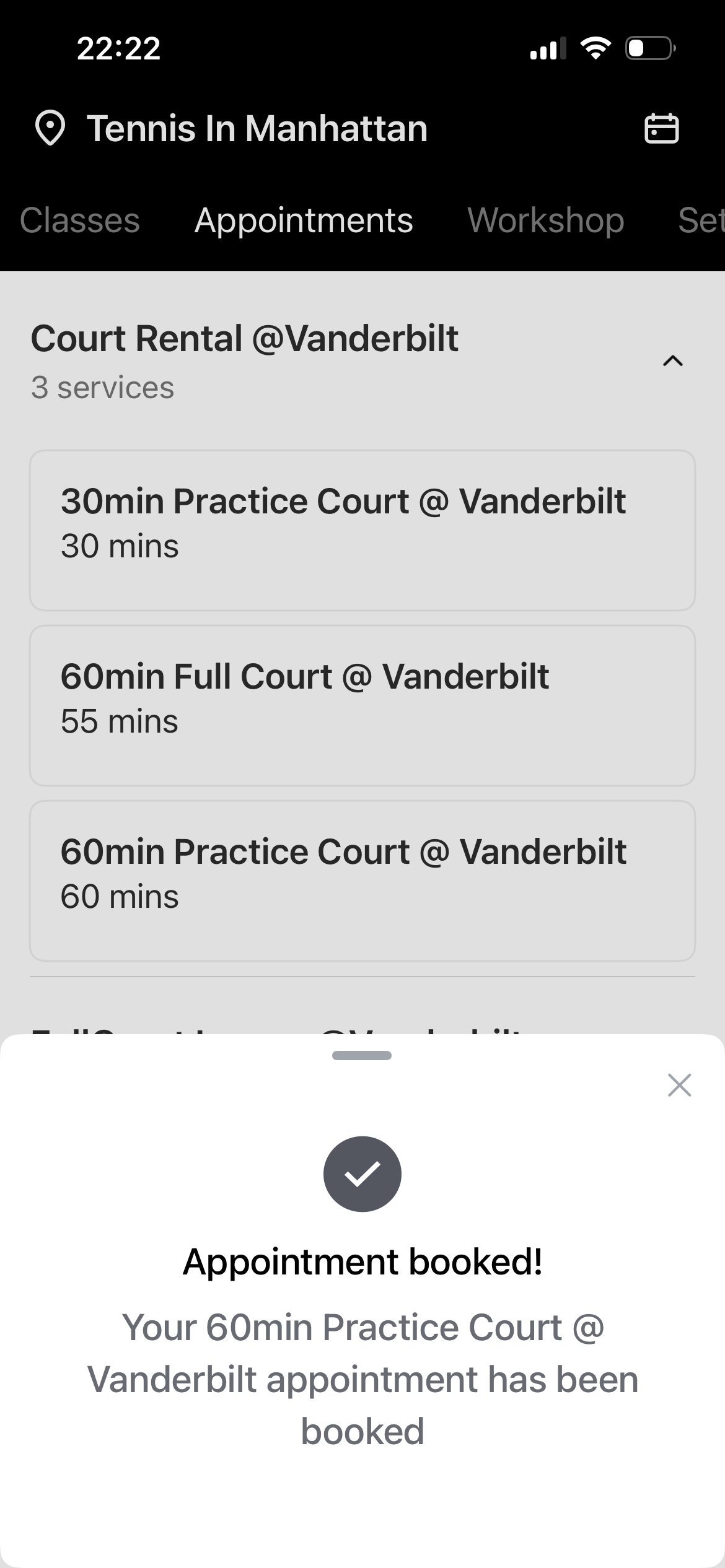
All Set!
Now you can manage your schedule on the "Profile" section
Step 8: See your Schedule
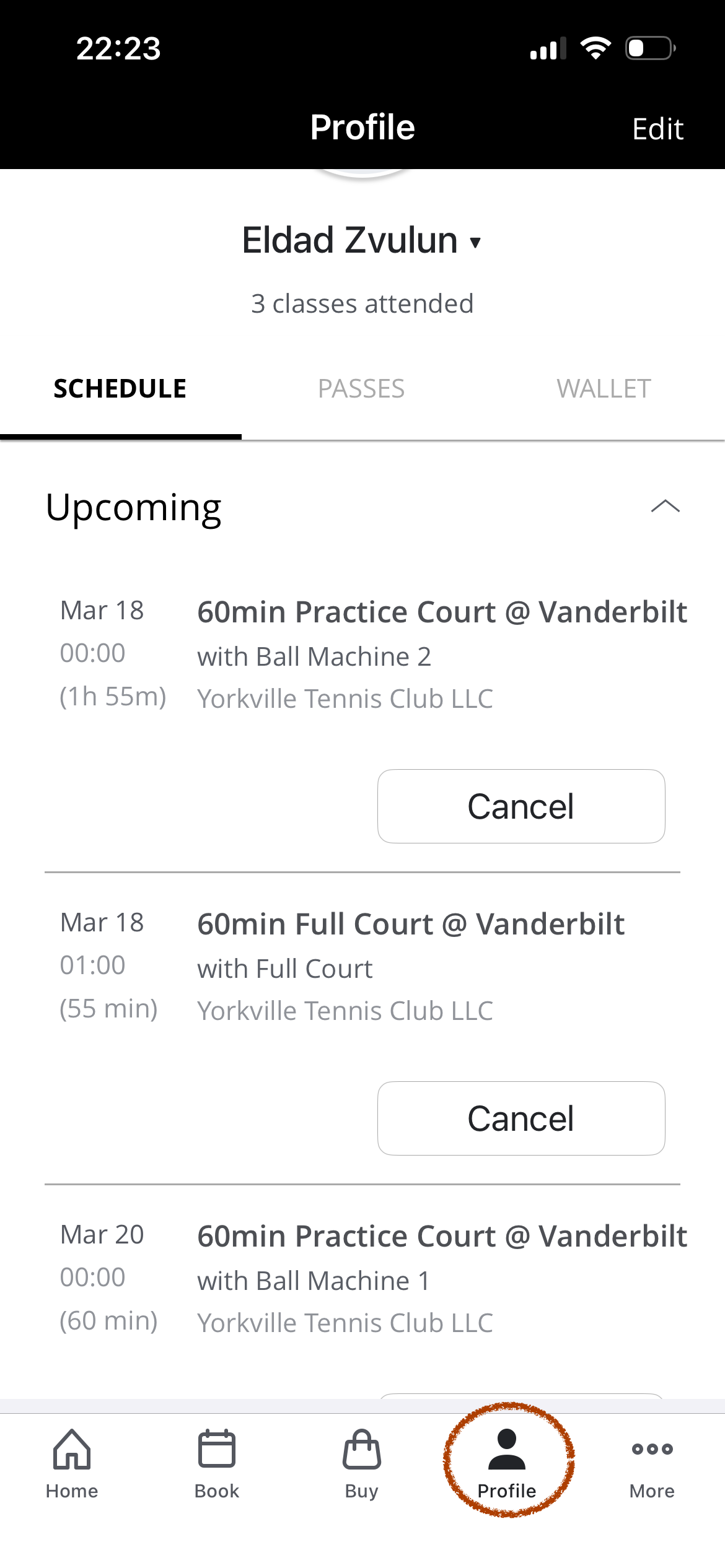
Tap "Profile"
The Schedule tab will show Upcoming bookings, as well as Previous.
Tap "Edit" (top right) to update your info and Opt In for notifications.
Step 9: Opt In
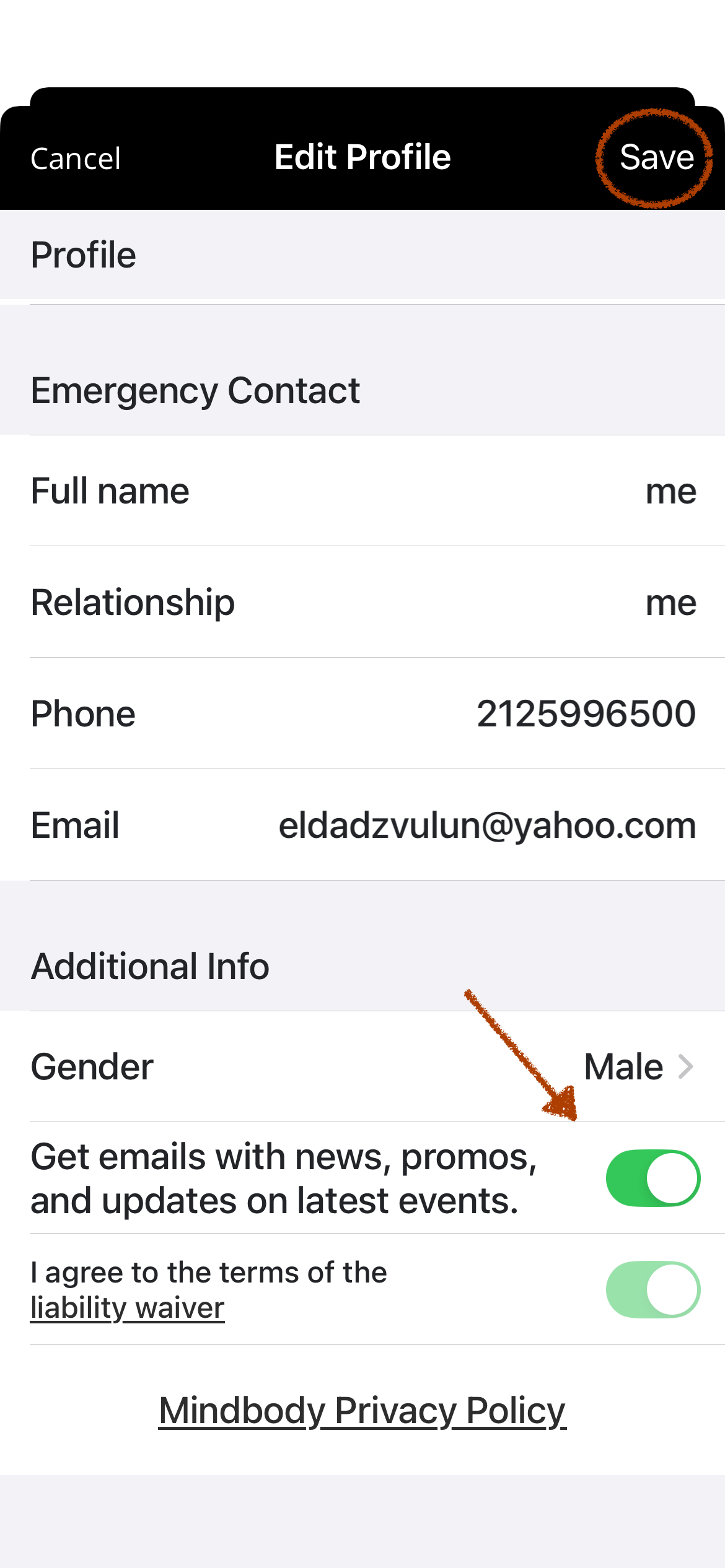
Scroll down to "Additional Info" and Opt-In for notifications.
Tap "Save" (top right)